Tesla Home Backup Installation · CA C-10 License #1010184
Tesla Powershare Installation in Pleasanton & the East Bay
Use your Tesla to help power your home during an outage.
With the right equipment, a compatible Tesla can supply electricity from its vehicle battery to your home when the grid goes down.
Chase Electric installs Tesla Powershare home backup systems for eligible Cybertruck, Model 3, and Model Y owners throughout Pleasanton, the Tri-Valley, and the surrounding East Bay.
We'll evaluate your existing electrical setup, confirm equipment requirements, and explain the installation options before work begins.
- Tesla-Certified Installation
- California C-10 License #1010184
- 30+ Years Serving the Tri-Valley

Vehicle-to-Home Backup
Your Tesla Can Do More Than Drive.
Tesla Powershare allows compatible Tesla vehicles to send electricity from their battery to your home during a power outage.
Instead of relying entirely on a separate stationary battery, you can use energy already stored in your vehicle.
How Does Powershare Work?
Your Tesla Is Connected at Home
Park your compatible Tesla and connect it to the appropriate Tesla Wall Connector.
The System Detects an Outage
When utility power is lost, compatible backup equipment isolates your home from the grid and enables the supported backup configuration.
Your Vehicle Supplies Electricity
Energy stored in your vehicle can help power the electrical circuits included in your backup system.
Monitor Through the Tesla App
View backup activity, available battery energy, and system information through the Tesla app.
What Can Powershare Run?
Depending on your vehicle and installation configuration, Powershare can support:
- Refrigerators and freezers
- Lighting
- Internet and Wi-Fi equipment
- Home office equipment
- Essential outlets
- Selected appliances
- Additional household loads, when supported by the system design
Larger equipment, including air conditioning and electric heating, requires an evaluation of electrical demand and available backup power.
Important: Your Tesla must be connected at home, have sufficient battery charge, and meet the applicable system requirements to supply backup power.
Compatible Tesla Vehicles
Which Tesla Vehicles Support Powershare?
Powershare Home Backup is available on compatible Cybertruck, Model 3, and Model Y vehicles.
The equipment required depends on the vehicle and whether the home already has Tesla Powerwall 3.
 Illustration
Tesla Cybertruck
All Cybertruck trims support Powershare.
Cybertruck can provide home backup through either:
- A standalone Powershare installation without Powerwall
- A compatible Powerwall 3 system with supported charging equipment
For homeowners who already own a Cybertruck, standalone Powershare may be an option without purchasing a separate home battery.
 Illustration
Tesla Model Y
Compatible Model Y vehicles can provide home backup when paired with Powerwall 3 and a supported Wall Connector.
Tesla states that all Model Y vehicles ordered in the United States and Puerto Rico after October 1, 2026, support Powershare. Some earlier vehicles are also eligible.
 Illustration
Tesla Model 3
Compatible Model 3 vehicles can also provide home backup using Powerwall 3 and a supported Wall Connector.
Tesla states that all Model 3 vehicles ordered in the United States and Puerto Rico after October 1, 2026, support Powershare. Some earlier vehicles are also eligible.
How to Confirm Your Vehicle Supports Powershare
For Model 3 and Model Y, Tesla provides a way to confirm eligibility directly from the vehicle.
Update your vehicle to firmware version 2026.32.6 or later.
Open Software on your vehicle touchscreen.
Select Additional Vehicle Information.
Look for Powershare Support: Enabled.
If your vehicle shows that Powershare is enabled, the next step is to determine whether your home has the required equipment.
Model S and Model X do not currently support Powershare Home Backup.
Understanding the Installation
What Equipment Do You Need for Tesla Powershare?
There are two main ways to install Powershare Home Backup.
The correct approach depends on your Tesla vehicle and whether you already have a Powerwall 3 system.
Option 1: Powershare Without Powerwall
For eligible Tesla Cybertruck owners
A standalone Cybertruck Powershare installation generally requires:
- A compatible Cybertruck
- Tesla Powershare Gateway
- Tesla Universal Wall Connector
- Required wiring, circuit protection, and electrical connections
- A suitable home backup configuration
Certain electrical configurations may also use a Tesla Backup Switch.
What Does the Powershare Gateway Do?
The Powershare Gateway manages the connection between your home, vehicle, and utility grid.
It detects power outages and helps isolate the home's electrical system so the vehicle can provide backup electricity safely.
The Universal Wall Connector provides the compatible connection between the Cybertruck and the home's installed equipment.
Do You Need to Buy Powerwall 3?
No. Cybertruck can provide home backup through a supported standalone Powershare configuration without purchasing Powerwall 3.
Option 2: Powershare With Powerwall 3
For compatible Cybertruck, Model 3, and Model Y owners
If your home has a supported Powerwall 3 installation, Powershare can use:
- Tesla Powerwall 3
- Tesla Universal Wall Connector or Gen 3 Wall Connector
- A Powershare-compatible vehicle
- Supported Tesla software, networking, and equipment configuration
A separate Powershare Gateway is not used with a Powerwall system.
For this configuration, the Powerwall and Wall Connector must be connected to the same Wi-Fi network, registered to the same Tesla site, and paired appropriately. Tesla may also need to enable Powershare functionality.
Already Have an Older Powerwall?
Powershare functionality with Powerwall 2 and Powerwall+ is not yet available under Tesla's current published compatibility guidance.
We'll verify the latest manufacturer support before recommending changes to an existing installation.
Planning to Add Powerwall Later?
Tell us before installing standalone Cybertruck Powershare.
Tesla recommends installing Powerwall first when both systems are planned. This can help avoid unnecessary electrical work or replacing equipment later.
Planning Your Backup Power
How Much of Your Home Can Powershare Support?
Powershare can be configured for whole-home or partial-home backup, depending on the equipment, electrical loads, and supported system design.
Essential-Circuit Backup
Some homeowners want to keep the most important parts of their home operating during an outage.
That may include refrigeration, lighting, internet equipment, and selected outlets.
Limiting backup to essential circuits can help extend the amount of time stored energy remains available.
Whole-Home Backup
A whole-home backup system may support a broader range of household electrical loads.
However, high-demand appliances can affect how much power is available and how long the vehicle battery lasts.
We evaluate the electrical requirements of your home before recommending a backup configuration.
How Long Can Cybertruck Power a Home?
Tesla estimates that a Cybertruck with Powershare Home Backup can provide more than three days of backup electricity under its reference conditions.
That estimate is based on typical household consumption of approximately 30 kWh per day and a vehicle battery at 90% charge.
Your actual backup duration may be shorter or longer depending on:
- Vehicle model and battery capacity
- Battery charge when the outage begins
- Household electrical demand
- Heating and air-conditioning usage
- Backup configuration
- Solar energy production, if available
- Battery energy reserved for driving
Compatible Model 3 and Model Y vehicles have different battery capacities and backup-duration estimates.
Does Powershare Mean Unlimited Backup Power?
No.
Powershare uses electricity stored in your vehicle battery. When that available energy is depleted, it can no longer support the home unless the system receives additional energy through a supported charging configuration.
We'll help you plan backup priorities based on the loads you want to support.
Comparing Your Options
Tesla Powershare or Powerwall 3: Which Do You Need?
Both systems can help provide electricity during an outage, but they work differently.
Tesla Powershare
Uses energy stored in a compatible vehicle battery.
The vehicle must be parked at home and connected to the supported charging equipment when providing home backup.
For eligible Cybertruck owners, Powershare can be installed without a separate Powerwall battery.
Tesla Powerwall 3
A stationary home battery installed at your property.
Powerwall remains available for home backup when your vehicle is away, provided the battery has sufficient stored energy.
It can be configured with or without solar panels.
Can You Install Both?
Yes.
A compatible Tesla vehicle can work with Powerwall 3 to extend backup duration during longer outages.
For homeowners who want stationary battery backup as well as access to energy stored in their Tesla, the combination may be worth considering.
The appropriate choice depends on your vehicle, backup goals, existing solar system, and installation requirements.
Understanding Installation Costs
How Much Does Tesla Powershare Installation Cost?
The cost of installing Tesla Powershare depends on the vehicle, existing electrical equipment, and backup configuration.
A standalone Cybertruck Powershare installation will have different equipment requirements from a home that already has a compatible Powerwall 3 system.
What Can Affect Your Estimate?
- Required Powershare Gateway, if applicable
- Universal or Gen 3 Wall Connector requirements
- Existing electrical panel and service capacity
- Required electrical circuits and wiring
- Distance between charging equipment and electrical panels
- Backup Switch or load-center modifications, where needed
- Backup configuration and circuit selection
- Permit and inspection requirements
- Applicable utility coordination
Do You Need to Upgrade Your Electrical Panel?
Not necessarily.
Some homes have an electrical system suitable for the proposed equipment. Others may require panel modifications or an electrical service upgrade.
We'll review the existing panel and electrical capacity before recommending additional work.
What Does Chase Electric Provide?
We evaluate the project and prepare a written estimate that explains the proposed equipment, electrical work, and installation scope.
You'll know what's included before approving the project.
Available Utility Programs
Are PG&E Incentives Available for Powershare?
PG&E offers a Vehicle-to-Everything (V2X) program that may provide incentives for eligible bidirectional vehicle charging and home backup installations.
Eligible Tesla Cybertruck configurations may qualify, depending on the program's current requirements.
Incentive eligibility can depend on:
- Vehicle and charging equipment
- Utility service territory
- Program availability and funding
- Enrollment and application requirements
- Installer qualifications, including applicable EVITP requirements
- Equipment configuration and interconnection requirements
Home backup and exporting electricity to the grid are different functions. Installing Powershare does not automatically enroll you in a utility grid-support program or guarantee incentive payments.
Before making a purchasing decision based on an incentive, confirm the current program requirements directly with PG&E.
Official program information: PG&E Vehicle-to-Everything Program
Local Electrical Experience
Tesla Home Backup Installed by Experienced Electricians
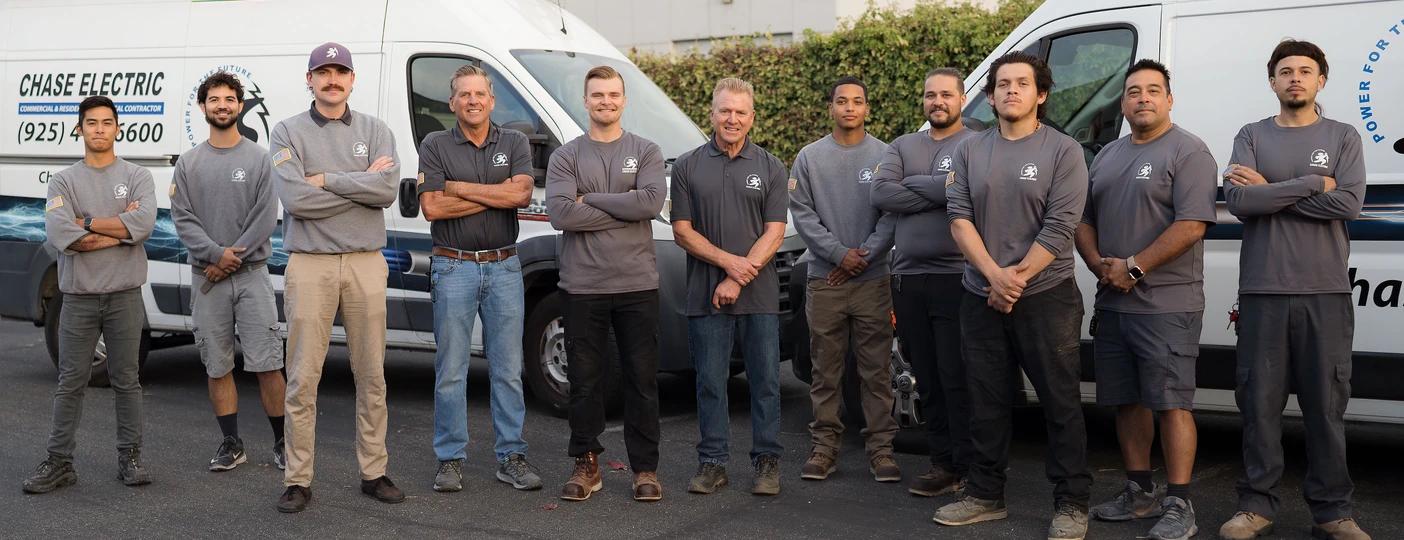
Chase Electric has served Pleasanton and the Tri-Valley for more than 30 years.
Our team works with residential electrical panels, EV charging equipment, service upgrades, and Tesla home energy systems.
Installing Powershare involves more than connecting a vehicle charger. The home's electrical distribution, backup equipment, circuit loads, and utility connection must all be considered.
Why Homeowners Choose Chase Electric
- Tesla-Certified InstallationExperience with Tesla home energy equipment and supported installation requirements.
- Licensed Electrical ContractorCalifornia C-10 Electrical Contractor License #1010184.
- Over 30 Years of Local ExperienceEstablished electrical contracting experience in Pleasanton and the Tri-Valley.
- Electrical Panel ExpertiseExperience with panel upgrades, dedicated circuits, and residential electrical installations.
- Permit & Utility CoordinationWe'll review applicable permitting, inspection, and PG&E requirements during project planning.
- Clear Written EstimatesWe explain the required equipment and installation scope before work begins.
 Diamond Certified
From your neighbors
What your neighbors are saying
From Evaluation to Home Backup
What to Expect With a Powershare Installation
Confirm Vehicle & Equipment Compatibility
We'll review your Tesla model, vehicle eligibility, existing charger, Powerwall equipment if applicable, and electrical panel.
Evaluate Your Home
We'll discuss what you want to keep powered and review the electrical setup to determine a suitable backup configuration.
Receive a Written Estimate
You'll receive a proposed scope covering the required equipment, electrical installation, and applicable permitting or utility requirements.
Installation & System Setup
Once the project is approved and scheduled, our electricians complete the electrical work, test the installed equipment, and coordinate required inspections. We review the Tesla commissioning and activation requirements, including any steps that must be completed with Tesla.
Understand How to Use Your System
We'll explain the installed configuration, what happens during a power outage, and how to monitor supported features in the Tesla app.
Local Tesla Powershare Installers
Tesla Powershare Installation Throughout the East Bay
Chase Electric is based in Pleasanton, California, and serves homeowners throughout the Tri-Valley and surrounding East Bay communities.
Our service area includes:
Whether you already have Powerwall 3 or are planning a standalone Cybertruck installation, contact us with your address and project details.
We'll confirm service availability and explain the next step.
Homeowner Questions
Tesla Powershare Installation FAQs
Can my Tesla power my house during an outage?
Yes, if your vehicle supports Tesla Powershare and your home has the appropriate backup equipment. Cybertruck can support a standalone Powershare installation, while compatible Model 3 and Model Y vehicles currently require a supported Powerwall 3 configuration for home backup.
Do I need Powerwall 3 for Tesla Powershare?
Not if you have an eligible Cybertruck and install the required standalone Powershare equipment. Compatible Model 3 and Model Y vehicles currently need Powerwall 3 and a supported Wall Connector for Powershare Home Backup.
Do I need a Powershare Gateway if I already have Powerwall 3?
No. A Powershare Gateway is used for certain standalone Cybertruck installations and is not installed with a Powerwall system. A supported Powerwall 3 system instead uses compatible charging equipment and Tesla's required system configuration.
Does my Tesla Wall Connector support Powershare?
It depends on the installation. With Powerwall 3, Tesla supports the Universal Wall Connector and Gen 3 Wall Connector. Standalone Cybertruck Powershare installations require a Universal Wall Connector. We'll check your existing charger.
Can my 2025 or early-2026 Tesla Model Y use Powershare?
Some earlier Model Y vehicles may qualify, depending on their hardware and configuration. After updating to firmware 2026.32.6 or later, check your vehicle's Software menu, under Additional Vehicle Information, for “Powershare Support: Enabled.” Even if the vehicle qualifies, home backup currently requires the appropriate Powerwall 3 system.
How long can Cybertruck power my home?
Tesla estimates more than three days under its reference conditions of approximately 30 kWh of household use per day and a 90% vehicle battery charge. Actual duration depends on household energy use, vehicle charge, backup reserve, and the system configuration.
Can Powershare run my air conditioner?
Potentially. Air conditioning can require significant electrical power, particularly during startup. Whether it can be supported depends on the vehicle, system output, other household loads, and installation configuration. We'll evaluate the requirements before recommending whole-home backup.
Will Powershare work if my Tesla isn't parked at home?
No. Your vehicle needs to be at home, connected to the supported charging equipment, and have sufficient stored energy to provide Powershare backup. A stationary Powerwall system can provide backup independently of whether your vehicle is home.
Can Powershare work with my existing solar panels?
Yes, compatible solar systems can work with Powershare. The integration depends on the installed solar equipment and backup configuration. We'll review the existing system before recommending an installation.
How much does Tesla Powershare installation cost?
Pricing depends on your vehicle, required charging and backup equipment, wiring, electrical panel, permits, and installation complexity. Chase Electric provides a project-specific written estimate.
Are PG&E rebates available for Powershare?
Certain eligible vehicle-to-home systems may qualify for PG&E's Vehicle-to-Everything incentives. Program rules, available funding, installer qualifications, and enrollment requirements apply. Confirm eligibility directly with PG&E before relying on a rebate.
Can I add Powerwall 3 after installing Cybertruck Powershare?
It may be possible, but the equipment configuration would need to be reviewed because Powerwall and the standalone Powershare Gateway are not used together. If you expect to install both, Tesla recommends installing Powerwall first to avoid additional electrical work.
Ready for Tesla Home Backup?
Ready to Install Tesla Powershare?
Whether you own a Cybertruck, a compatible Model 3 or Model Y, or you're considering adding Powerwall 3, Chase Electric can help you understand the installation requirements.
Tell us which Tesla you own, what equipment you already have, and what you'd like to keep running during an outage.
We'll review your information and explain the next step.
Tesla, Powerwall, and Powershare are trademarks of Tesla, Inc. Chase Electric is an independent electrical contractor and is not owned by Tesla.